
That’s why spreadsheet review isn’t enough. Localization quality assurance, or LQA, belongs inside the game after translations are implemented. Native-speaker testers do more than check spelling and grammar—they judge whether the localized experience feels coherent and natural in context. They see what players see: menus, levels, quests, dialogue, and live gameplay. This companion to The Complete Game Localization Workflow covers what native-speaker testing adds, which issues it catches, and how to organize it.
Why does every localized game need QA testing?
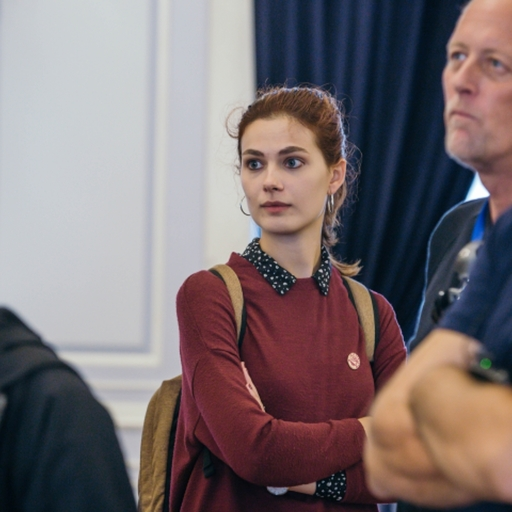
In this clip, Yana Tarasevich explains why native-speaker testers should review the live screens and levels—not only the translation table. From her Level Design Lobby conversation with Max Pears.
For any localized digital product, and a game especially, I always recommend finishing localization with localization quality assurance: the translations are already implemented, and a native-speaking tester goes through the screens and levels to see if everything looks genuine in context. Translators work in their own systems and never see the whole result—LQA is how you make sure it all works together.
Translation review and in-game testing are not the same
Translation review evaluates the text itself—accuracy, terminology, grammar, style. Essential work, but it happens before or outside the final gameplay environment. In-game LQA asks different questions: Does the text fit? Appear in the right place? Match the visual context? Suit the speaker? Make sense after the player’s previous choice? A string can pass linguistic review and still fail these tests. Detail: LQA vs proofreading.
Why native speakers are essential
Functional testers catch missing text, broken buttons, and display problems. They may not judge whether the language sounds natural. Native speakers catch subtler issues—awkward phrasing, wrong formality or emotional tone, cultural mismatch, bad grammatical gender, and wording that feels translated rather than original.
A sentence can be grammatically correct and still sound too formal for a casual mobile game, too modern for historical fantasy, or too childish for a mature narrative. Native-speaker testing evaluates the player experience, not only word correctness.
Localization errors often appear only in context
Translators usually work in a localization platform or spreadsheet. They may have screenshots and notes, but they do not always see every string in the final build. Once text is implemented, new information becomes visible.
- Visual context: the label appears beside a different object than expected, a button has less space than documented, a line is part of a warning rather than a neutral message, or a character’s expression changes the intended tone.
- Gameplay context: a line appears before a boss fight, after mission failure, during a timed tutorial, after a particular dialogue choice, or when a resource is unavailable.
- Narrative context: a character is lying, joking, threatening, being sarcastic, hiding information, or reacting to a player choice—so a line that seemed neutral in isolation needs a very different tone.
Much of this traces back to the context translators received in the first place, covered in what game translators need from developers.
What native-speaker LQA should test
A complete pass covers linguistic, visual, functional, and contextual issues.
1. Linguistic quality
Testers review meaning, grammar, terminology, fluency, tone, and cultural fit.
Accuracy means the translation conveys the intended meaning—an inaccurate tutorial can affect gameplay, not only language. Naturalness means it reads as written for native players, not forced through source-language structure.
Tone and register should match genre, audience, character, and scene: a friendly tutorial should not sound authoritarian, and a villain should not accidentally sound polite. Terminology and grammar—including gender, plurals, and formal/informal address—should hold even when strings meet dynamic content.
2. Visual quality
Localized text must fit and stay readable. The main stakes are text expansion (buttons, menus, HUD), fonts and glyphs (every character and accent displays), and right-to-left display for Arabic and similar languages—validated in-build, not in the translation file. More in the trickiest languages in game localization.
3. Functional quality
Localization can affect game behavior. Testers verify that buttons still work, variables display correctly, language switching works, tutorials stay clear, and progression is not blocked. Three failures are especially common:
- Wrong string mapping: a correct translation connected to the wrong ID—an inventory label appearing in settings, or an item name beside the wrong image. Only in-game testing reliably reveals this.
- Broken placeholders: variables appearing as raw codes or empty spaces, e.g.
You received {item_name}.displayed literally. - Missing translations: strings left in the source language because they were hard-coded, added late, excluded from export, or connected to an older build.
4. Contextual quality
Contextual findings are often the highest-value catch: a line that contradicts the scene, a joke that fails in place, a character who changes voice, or a response that does not fit the selected branch. Confirm character consistency, scene consistency, and player-choice consistency across dialogue and UI.
When localization QA should begin
LQA happens after translations are in a playable build, but plan it much earlier. Reserve time for builds, coverage, bug reporting, corrections, reimplementation, and retesting. Adding LQA at the last moment usually means there is not enough time to fix what it finds—one of the traps in how to avoid expensive game localization rework.
Where possible, test early builds: first passes on core UI, fonts, language switching, and text expansion; later passes on full narrative, final terminology, and regression. That staged approach catches structural problems before they hit the whole game.
Who should perform localization QA?
The ideal tester is a native speaker of the target language, fluent enough in the source to compare meaning, familiar with games (and ideally the genre), and able to write clear bug reports while distinguishing preference from error. Game familiarity matters—interface conventions and player expectations shape what “feels right.”
Translators and testers can be different people. The original translator may be too familiar with the text to notice every issue, while a separate tester brings a fresh perspective on ambiguity, inconsistency, awkward phrasing, and implementation problems. Translators should still be available to respond to findings and approve corrections.
Build a clear LQA test plan
A test plan defines coverage and method: languages, platforms, builds, priority areas, known issues, severity rules, and retest expectations.
When time is limited, prioritize high-risk content—onboarding, core loops, menus, store/payment screens, main quests, and tutorials—and let optional content follow later. Organize by screen, quest, or feature so you know what has been reviewed.
Give testers the right resources
Native speakers still need project context: glossary, style guide, character notes, build access, and known limitations. Without those, testers may flag approved style choices as errors or introduce inconsistent corrections.
Create useful localization bug reports
A vague report such as “This sounds wrong” is hard to act on. Give linguists, developers, and QA enough detail to reproduce and resolve the issue—for example:
| Language | German |
| Platform / Build | PC / 1.0.1842 |
| Location | Settings > Audio |
| String ID | menu_audio_master_volume |
| Issue | Text truncation |
| Current / Expected | “Gesamtlautstärke” — full label should be visible |
| Suggested fix | Increase field width or approve a shorter label |
| Severity | Medium |
This report makes clear the issue may require a UI fix rather than a linguistic correction.
Distinguish linguistic and technical ownership
Not every localization issue should go to the translator. Linguistic issues belong with language leads; technical issues with engineering or UI. Mixed issues need both—for example, a correct long translation in a button that is too narrow. Decide whether to shorten the text, expand the UI, or use a locale-specific layout. Clear ownership stops bugs bouncing between teams.
Use severity levels consistently
- Critical: blocks progression, crashes the game, prevents a feature, or creates legal/reputational risk (a localized button makes checkout impossible; a broken variable crashes the game; prohibited content appears).
- High: significantly affects understanding, usability, or a major narrative moment (wrong quest objective, missing main dialogue, major UI truncation, incorrect store information).
- Medium: noticeable and should be fixed but not blocking (awkward phrasing, minor terminology inconsistency, poor line break, noncritical overlap).
- Low: cosmetic or preference-based (optional stylistic improvement, minor punctuation preference, small spacing issue).
Consistent severity helps teams prioritize fixes under release pressure.
Retest every correction and run regression testing
A fixed string may introduce a new problem. After changes land, confirm the original issue is gone, the new text fits, variables still work, and nearby screens are untouched.
Updates can also break previously correct localization, so include regression on core menus, language selection, fonts, reused UI, and key terminology in every release. Live-service detail: how to update a game without breaking its translations.
Common mistakes in localization QA
- Testing only the text: LQA should not be reduced to proofreading screenshots; the tester needs to interact with the game.
- Testing too late: finding major layout or script-support problems just before release leaves little room for correction.
- Using non-native testers for linguistic sign-off: a fluent non-native may miss naturalness, register, and cultural nuance.
- Treating every preference as an error: distinguish objective error, style-guide violation, contextual problem, and personal preference.
- Ignoring source problems: sometimes the localized text is awkward because the source is ambiguous; let testers flag source issues.
- Failing to retest: marking bugs fixed without verification can leave the same issue in the release build.
Measuring LQA effectiveness
Metrics should improve the workflow, not only score people. A spike in context errors may mean translators need better screenshots; repeated truncation may mean inflexible UI; variable failures may point to weak technical QA.
Useful signals include issues by severity and category, reopen/retest failure rate, and escaped defects after launch. Use them to fix the pipeline, not only to close tickets.
A practical native-speaker testing checklist
Before testing
- Target build is confirmed and the language installs correctly
- Test accounts and save files are ready
- Glossary, style guide, and test scope are shared
- Known issues are documented; bug-reporting access and severity rules are agreed
During testing
- Language selection works and no source-language strings remain
- Menus are readable, fonts display correctly, and UI text fits
- Variables work; dialogue matches context and character voices are consistent
- Tutorials match controls; quest information is accurate; subtitles are readable and synced
- Cultural references feel appropriate
After testing
- Bugs contain screenshots or video and string IDs; severity is assigned
- Linguistic and technical ownership is clear; corrections are approved and implemented
- Retesting is completed and regression risks are reviewed
- Final translations update the language assets
Native-speaker LQA protects the player experience
Players do not care where a localization error started—translation, missing context, UI, or a late source change. They only feel whether the game is clear and natural. Native-speaker testing is the last link between translated files and that player experience.
A localization workflow is not complete when the files are translated. It is complete when native players can move through the game without the language breaking immersion, causing confusion, or interfering with play.
For the full end-to-end workflow, see The Complete Game Localization Workflow: From Source Strings to In-Game QA.
Yana Tarasevich leads localization teams at Alconost, coordinating game translation, terminology management, and multilingual QA. The video clip in this guide is from her conversation with Max Pears on the Level Design Lobby podcast. Read more from Yana on localizing video games.









































































 QACAT
QACAT AI Video Studio