
The word “Open” may refer to a door, inventory, chest, menu, file, or status. A line of dialogue may sound neutral in isolation but need to communicate fear, sarcasm, affection, or anger in the scene. A short item name may be impossible to translate confidently without seeing the object it describes.
Translators do their best work when you give them more than text: context, visual references, character notes, gameplay details, terminology, technical constraints, and someone who can answer questions. This guide is a companion to The Complete Game Localization Workflow, expanding the context stage into a practical checklist.
What do game translators need from developers?
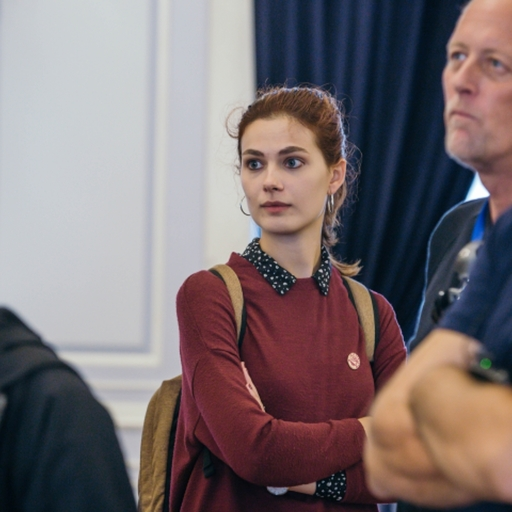
In this clip, Yana Tarasevich explains why isolated strings are rarely enough for confident translation. From her Level Design Lobby conversation with Max Pears.
When translators get strings with just the words for some rewards you can get in a game, but no images, sometimes you just don’t know the difference between a chest, a bag, and a treasure chest—or what that difference should be in the target language. They need the images to translate correctly. That is why, for game localization, it is super important to have as much context as you can get.
Why strings alone are not enough
Developers and translators experience game content very differently. A developer may know a string appears on a reward screen, beside an image of a wooden chest, after the player completes a quest, inside a narrow mobile button. The translator may see only:
Chest
Without context, they may not know whether the word refers to a treasure chest, a storage container, a piece of armor, part of a character’s body, a category of items, or a location in the interface. Short strings are especially difficult because they contain very little linguistic information. Dialogue lines may contain more words, but they can still be ambiguous when separated from the speaker, scene, or branch. Giving translators more context reduces guessing, queries, corrections, and rework.
1. Explain where every string appears
The most basic form of context is location. Tell translators where the player will see the text—main menu, inventory, quest log, tutorial, dialogue, store, or system notification. A string such as “Back” could mean returning to a previous screen, moving backward, a character’s body, or the reverse side of an item. The interface location often resolves the ambiguity immediately.
Use descriptive string identifiers
String IDs should carry useful information where possible. Identifiers like menu_settings_audio, inventory_open_chest, or dialogue_mira_angry_response_03 are far more helpful than text_1042, button_7, or line_new_final_2. IDs do not replace full context, but they signal a string’s likely purpose—and they matter for updates, as covered in how to avoid expensive game localization rework.
Include a context field
A localization file or platform should provide space for notes: “Appears on the inventory screen,” “Button opens the selected chest,” “Spoken by the player character,” “Displayed after a failed mission,” “Refers to an achievement, not a physical object,” “Visible for three seconds,” “Maximum 20 characters.” Even one sentence of explanation can prevent a wrong translation.
2. Provide screenshots and visual references
Images are among the most useful resources you can give a translator. A screenshot shows what object a name refers to, where the string sits, how much space is available, and which character is speaking.
For UI, that often reveals a technically correct translation will not fit. For items, it shows the difference between a pouch, backpack, chest, or crate. For dialogue, it shows expression and emotional tone.
Connect screenshots to string IDs
A folder of unlabeled screenshots is less useful than images tied to the relevant text—screenshot links in the localization platform, filenames that include string IDs, UI previews, or annotated frames. The easier it is to find the right reference, the more consistently translators use it.
3. Describe the gameplay function
Translators need to know not only where a string appears but what it does. The label “Use” could mean use an item, equip a weapon, consume a potion, activate a skill, or interact with an object—and the translation may differ for each. For important UI strings, note the player’s action, the object affected, and whether the string is a command, description, or status.
4. Share character profiles
Characters need consistent voices across dialogue, quests, and subtitles. Share who each character is: name, age, gender, personality, relationships, and speech habits. A royal commander, teenage hacker, ancient spirit, and comic sidekick should not all sound alike. See localizing game characters for how personality carries across languages.
Describe emotional states and relationships
The same character may speak differently depending on the scene—angry, sarcastic, exhausted, or pretending to be calm. Languages also express relationships differently, so note whether the speaker is addressing a superior, a close friend, a stranger, or a rival. That affects formality, pronouns, honorifics, and vocabulary.
5. Share complete dialogue flows
Dialogue should not be localized as a random collection of separate lines. Translators need to see how the conversation develops—especially with branching choices, companions, or nonlinear narrative. A response may need to make sense after several different player choices; a joke may set up a later callback.
Show dialogue trees and keep related dialogue together
Whenever possible, provide the full conversation, speakers, branch conditions, and outcomes. A visual dialogue tree or structured script beats a flat spreadsheet. Avoid splitting one conversation across unrelated batches—translating a complete quest or scene at once preserves voice, terminology, and narrative logic.
6. Define variables and placeholders
Game strings often include dynamic elements—player names, item names, numbers, dates, or gender markers. For a string like You received {count} {item_name}., translators need to know what each variable contains, whether it can be singular or plural, and whether word order can change.
Never leave placeholders unexplained
A string such as Defeat %1 before %2. is hard to localize when the translator does not know whether %1 is a person and %2 is a time, location, or mission stage. A clear note—%1 = enemy name, %2 = countdown timer—removes the guesswork. Also protect variables and markup so translators cannot break them by accident.
7. State character and space limits
Translators need to know whether a string must fit a specific area—character count, pixel width, line count, subtitle duration, or button size. Limits should be realistic: a strict one-to-one character limit based on English can make natural translation impossible. Where possible, provide previews, abbreviation rules, and an escalation path for strings that cannot fit—and say whether meaning, tone, or brevity wins when space is tight.
8. Define the target audience and tone
The correct translation depends partly on who will play the game. Share age range, genre, platforms, target markets, and whether technical terminology is acceptable. A mobile puzzle game for children needs different language from a military simulator or narrative RPG.
Also define overall tone—dark, playful, formal, family-friendly, comedic—and how much creative freedom translators have. Some content, such as humor and wordplay, is closer to rewriting than translation.
9. Provide a glossary
A game glossary keeps recurring names and concepts consistent: characters, items, locations, skills, achievements, and mechanics. Useful entries include more than the source term—definition, screenshot, gender, approved translation, and usage notes. A term such as “Guardian” may be a class, faction, achievement, or enemy type; the glossary should make that distinction clear. Without it, the same term gets three translations by launch.
10. Provide a style guide
The style guide helps different translators produce one coherent voice—tone, capitalization, UI conventions, naming rules, formality, and treatment of fictional terms. For character-heavy games, add voice notes for major characters. Skip it and five translators ship five different games.
11. Give translators access to the game
The best context is often the game itself. When possible, give translators a playable build, recorded gameplay, or walkthroughs of key scenes. Playing the game shows how text, visuals, audio, and mechanics work together.
Build access may need an NDA, credentials, and instructions for reaching specific content. If a full build cannot be shared, targeted videos and screenshots are still valuable.
12. Establish a clear point of contact
Even a well-prepared package will generate questions. Name who can answer them—localization manager, producer, narrative designer, or UI lead—someone who knows the answer or knows who does.
Create a structured query process
Use one shared channel, clear ownership, response deadlines, and a record of approved decisions. A call on a character’s gender or an item name can affect thousands of strings later.
13. Explain how much adaptation is allowed
Localization sometimes requires changes beyond literal translation—rewriting a joke, adapting a cultural reference, or replacing wordplay. State which changes translators can make independently, which need approval, and whether emotional impact matters more than exact wording. Without those rules, translators stay too literal or go past your comfort level. For pitfalls here, see cultural traps in localization.
14. Share relevant audio information
For subtitles, dialogue, and voice-over, share speaker, delivery, emotion, and timing. A line delivered sarcastically may need a different translation from the same words spoken sincerely. For dubbing, note lip-sync, duration, or animation constraints before translation begins. See audio localization for video games for more.
15. Keep the source content stable
Frequent source changes create confusion and rework. Distinguish draft, approved, updated, and deprecated content, and make every change traceable—version control, string-status labels, and stable IDs. When a source string changes, translators should see what changed and why.
16. Allow time for questions and review
Localization timelines should include more than translation time: project setup, context review, glossary creation, translator questions, developer responses, editing, implementation, localization QA, corrections, and retesting. A rushed schedule encourages assumptions; providing time for questions usually reduces later rework.
A practical context package for game translators
Before translation begins, prepare a package covering these areas:
- Project overview: title, genre, platforms, target audience and markets, release schedule, age rating, tone and style.
- Content overview: content types, word count, update frequency, source format, string-status system, file structure.
- Gameplay context: game summary, core mechanics, quest structure, important systems, player goals, tutorial flow.
- Narrative context: world overview, plot summary, character profiles, relationships, dialogue trees, faction information, lore.
- Visual context: screenshots, videos, UI designs, item images, maps, character art, gameplay build.
- Linguistic resources: glossary, style guide, translation memory, naming conventions, pronunciation notes, approved previous translations.
- Technical information: string IDs, variables, tags, character and pixel limits, supported fonts, file formats, encoding, import and export rules.
- Communication: primary contact, query process, response expectations, approval process, escalation path.
A sample string-context template
Studios can use a structure like this for each string. For a UI label:
| String ID | inventory_reward_chest_open |
| Source text | Open |
| Screen or location | Reward inventory screen |
| Function | Opens the selected reward chest |
| Object | Wooden treasure chest shown in the attached screenshot |
| Character limit | 12 characters preferred |
| Variables | None |
| Note | Use the same verb as the existing “Open crate” action unless the language requires a distinction. |
For dialogue, the template could include:
| String ID | quest_014_mira_response_angry_03 |
| Speaker | Mira |
| Listener | Player character |
| Emotion | Angry but attempting to remain controlled |
| Scene | The player has accused Mira of hiding information |
| Outcome | Selecting this branch lowers Mira’s approval |
| Character gender | Female |
| Creative freedom | Natural adaptation allowed; preserve restrained anger |
What happens when context is missing?
Insufficient context raises the odds of:
- Wrong terminology or grammatical gender
- Inconsistent character voice and awkward dialogue
- UI text that does not fit
- Misread variables and expensive QA corrections
The cost does not disappear when you skip context preparation—it moves later in the workflow, where fixes across languages are usually more expensive.
Context is part of localization quality
The quality of a game translation does not depend only on the talent of the translator. It also depends on what the translator is able to see and understand. A skilled translator working from disconnected strings must still make assumptions. A translator with screenshots, character information, dialogue trees, terminology, and responsive developer contacts can make decisions grounded in the game itself.
The most productive relationship between developers and translators is collaborative: developers provide knowledge of the game, translators provide linguistic, cultural, and player-focused expertise, and together they create an experience that feels natural in another language.
For the complete process—from internationalization and source preparation to implementation, QA, and updates—see The Complete Game Localization Workflow: From Source Strings to In-Game QA.
Yana Tarasevich leads localization teams at Alconost, coordinating game translation, terminology management, and multilingual QA. The video clip in this guide is from her conversation with Max Pears on the Level Design Lobby podcast. Read more from Yana on localizing video games.










































































 QACAT
QACAT AI Video Studio