
A button that fits in English can overflow in German. A layout built for left-to-right navigation can collapse when Arabic arrives. These failures are often blamed on translation; they are usually design and engineering problems that only show up during localization. Different languages demand different things from typography, layout, grammar, input handling, text direction, and content structure—so a game designed around English alone can look stable until another language tests its assumptions. This companion to The Complete Game Localization Workflow looks at common challenges and what they reveal about whether your game is truly ready for international players.
Which languages create the trickiest localization challenges?
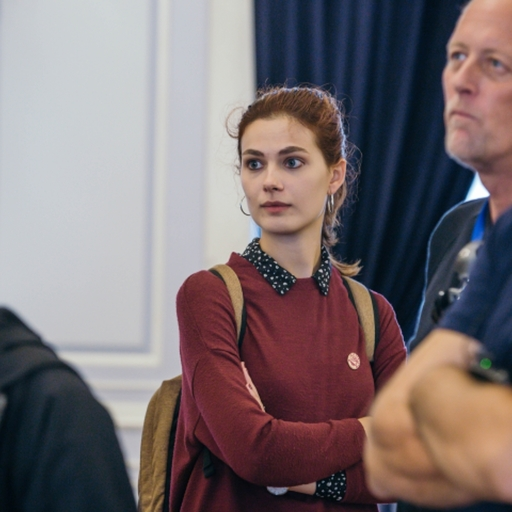
In this clip, Yana Tarasevich explains why Arabic and long European languages force studios to make their UI more flexible—before the interface breaks in production. From her Level Design Lobby conversation with Max Pears.
Technically, Arabic is always a challenge, because you need to make sure your game supports the fonts and the writing—the direction of writing is not the same as in English. Among European languages, German and Italian are difficult because they are really long languages, with long words. When you put them in as is, the interface just breaks, and you need to come up with new options to make the text shorter while still conveying the meaning.
There is no universally hardest language
The difficulty of game localization depends on the source language, the target language, the game engine, the UI architecture, the amount of narrative content, the use of variables, the target platforms, the font system, the quality requirements, and the level of cultural adaptation. A text-heavy RPG with branching dialogue faces different problems from a minimalist puzzle game; a mobile title with narrow buttons experiences text expansion differently from a PC strategy game with flexible panels; a game built with strong Unicode and right-to-left support handles Arabic more easily than one designed only for Latin scripts. The important question is not “which language is the hardest?” but “which assumptions in the game will this language challenge?”
Arabic reveals whether the interface is truly bidirectional
Arabic is often the clearest test of localization readiness. It is written right to left, but many game interfaces are designed entirely around left-to-right behavior, so supporting Arabic involves more than translating strings. The game may need to handle right-to-left direction, bidirectional text, letter shaping, font support, mirrored layouts, mixed Arabic and Latin content, numerals, cursor movement, text alignment, icon direction, and subtitle positioning.
Text direction: a left-to-right interface often assumes navigation begins on the left, icons point one way, labels align left, and progress moves left to right. Arabic may require these elements to be mirrored or repositioned—simply right-aligning text does not create a complete right-to-left experience. Letter shaping: Arabic characters change form by position; a system may contain the correct Unicode characters while displaying them incorrectly as disconnected forms. Bidirectional text: Arabic strings often contain Latin elements (player names, product names, controller buttons, version numbers), and mixing directions can cause reversed order, misplaced punctuation, and broken variables—so it must be tested with real content, not sample sentences. Fonts: a font may include Arabic glyphs yet still be unsuitable; verify complete coverage, correct shaping, readability at UI sizes, numerals, punctuation, and fallback that matches the game’s style.
What Arabic reveals: whether your interface is direction-aware, uses logical rather than fixed positions, handles mixed content, and was designed for localization. If adding Arabic means rebuilding large parts of the UI, the game was built around one writing direction—not adaptable components. Supporting it late is a classic source of expensive rework.
German reveals whether the UI can handle expansion
German is known for long compound words and expanded phrasing. A short English label may become significantly longer, affecting buttons, tabs, settings, menus, HUD elements, item names, tutorials, tooltips, achievement descriptions, and quest objectives. German may combine several concepts into one word and require more explicit grammatical structure than compact English UI text; the result is not always dramatically longer, but enough strings expand to expose rigid layouts.
Common failure patterns: text running outside buttons, labels cut off midway, and meaning stripped to save space—often with a request to “make it shorter,” even when the translation is already concise. What German reveals: whether your UI uses flexible containers, supports multiple lines, allows dynamic sizing, and separates meaning from English word-length assumptions. When the only fix is removing meaning from the translation, the problem is architectural.
Italian reveals whether compact English was treated as universal
Italian can also require more space than English, particularly in instructions, tutorials, descriptions, system messages, menu labels, and narrative exposition. English often compresses ideas through short verbs, noun phrases, and compact interface language, while Italian may need additional articles, prepositions, or longer inflected forms. A design that works in English because the source text is unusually compact may, once localized, show overflowing tutorial boxes, unclear menu hierarchy, descriptions that need more lines, crowded button labels, and subtitles that remain on screen too briefly. What Italian reveals: whether the product assumed every language can express the same idea with English-level compactness—and whether the team has flexible layouts, practical shortening rules, clear hierarchy, enough subtitle time, and good collaboration between linguists and designers.
Japanese reveals line-breaking and contextual limitations
Japanese does not use spaces the way English does, and line breaking follows language-specific conventions. A generic width-based wrapping system may create awkward breaks—certain characters should not appear at the beginning or end of a line—affecting dialogue boxes, subtitles, tutorials, item descriptions, mobile UI, and vertical text areas. Japanese also frequently omits subjects that are explicit in English, so appropriate phrasing depends heavily on speaker, listener, relationship, gender, social status, tone, and scene; a translator without character and dialogue context may produce a grammatically valid but socially inappropriate line. Character width and font rendering create their own layout considerations. What Japanese reveals: whether the game supports locale-aware line breaking, high-quality CJK fonts, context-rich dialogue workflows, mixed-script content, and language-specific typography. For one market’s specifics, see Japanese game localization.
Chinese reveals font, density, and variant decisions
Chinese may appear compact in UI but introduces other challenges. Studios need to decide whether they support Simplified Chinese, Traditional Chinese, both, or regional terminology differences. Font coverage: Chinese requires large character sets, and incomplete coverage causes missing glyphs or inconsistent fallback—test common characters, rare names, fictional terminology, punctuation, numerals, bold variants, and platform rendering. Text density: Chinese can express meaning compactly, but visual density may be high, so a small font readable in English can become hard to read with complex characters at the same size. Regional differences: Simplified and Traditional Chinese are not interchangeable formatting variants; vocabulary and expectations differ across regions, so decisions should reflect the intended market rather than relying on script conversion. What Chinese reveals: character-set completeness, font readability, regional planning, script-specific QA, and whether language variants are treated as real locales.
Korean reveals typography and spacing assumptions
Korean uses Hangul blocks and has its own typographic conventions, so a font or layout designed for Latin text may not provide the same readability. Test character width, spacing, line height, mixed Korean and Latin content, punctuation, font weight, small UI labels, and subtitle readability. Korean can also reveal whether a game’s UI uses fixed-height elements that do not accommodate different scripts comfortably.
Slavic languages reveal plural and grammatical limitations
Languages such as Polish, Russian, Ukrainian, and Czech may use more complex plural systems than English, which often distinguishes only one item from multiple items. Plural handling: a system storing only singular and plural may be insufficient—dynamic strings like You collected {count} coins. may need multiple translated variants. Grammatical case: inserted names and nouns may change form depending on their role in the sentence, so a system that inserts every term in one fixed form can produce incorrect grammar. Gender: verbs, adjectives, and pronouns may depend on player gender, character gender, item category, or speaker identity; without this information, translators are forced into awkward neutral constructions. What Slavic languages reveal: whether the string system supports locale-specific plural rules, grammatical variants, gender-aware text, flexible word order, and proper variable handling—a key part of the context translators need.
Romance languages reveal agreement and formality needs
French, Spanish, Italian, Portuguese, and other Romance languages may require explicit choices around gender, number, formality, agreement, articles, and pronouns. A generic English string such as “You are ready.” may not provide enough information: the translation may depend on whether the player character is male, female, or unspecified, whether the line addresses one person or several, and whether the relationship is formal or informal. What Romance languages reveal: whether the game provides translators with speaker and listener information, character gender, audience number, formality guidance, and full-sentence context.
Thai and other scripts reveal hidden rendering assumptions
Some scripts introduce challenges involving combining marks, vertical positioning, line breaking, character segmentation, font metrics, search, and cursor movement. A renderer that assumes one visible character equals one code point may behave incorrectly, affecting text input, character counting, deletion, cursor navigation, selection, subtitle limits, and UI truncation. These problems demonstrate why localization readiness must include text-engine behavior, not only translation files.
Languages with diacritics expose incomplete font support
Even Latin-alphabet languages can break a game if the font does not support the full character set—Polish, Czech, Romanian, Turkish, Vietnamese, Hungarian, and Croatian among them. Problems include missing characters, incorrect accents, poor kerning, clipped diacritics, broken uppercase forms, and font fallback. A game that supports basic English letters is not necessarily ready for other Latin-script languages.
Text expansion should be planned, not guessed
You’ll often hear general estimates such as “translations may be 30% longer.” Useful for early design—but actual expansion varies by language, string length, content type, and UI restrictions. Short strings can expand proportionally more than long paragraphs: a two-word button may double even when a full paragraph barely grows. Better tests include pseudo-localization, real sample translations, representative language sets, pixel-based checks, and early localized builds. Pseudo-localization expands source strings and adds accented characters to catch truncation, hard-coded text, unsupported glyphs, and broken layouts—it cannot replace real-language testing, but it exposes basic weaknesses early.
The interface should adapt before translators are forced to compromise
When text does not fit, teams often ask translators to shorten it. Sometimes a shorter translation exists, but repeated shortening leads to loss of meaning, unclear actions, inconsistent terminology, unnatural abbreviations, reduced accessibility, and poor comprehension. The decision should involve both linguists and designers. Possible solutions include expanding the UI element, allowing two lines, adjusting layout, using a shorter approved term, adding an icon, moving explanation into a tooltip, creating a locale-specific variant, or adjusting font size within limits. The translator should not be the only person responsible for solving a design constraint.
“Hard languages” often reveal weak source content
Some apparent language problems begin in English. A short source string may be ambiguous because it lacks a subject, object, context, gender, number, or gameplay function. “Save” could mean save the game, save a character, save money, a saved file, or a football action. The translation problem is not caused by the target language—it is caused by under-specified source content, and languages that require more grammatical precision simply make the ambiguity visible.
Language-specific QA is essential
A game may pass general functional QA while still failing in a particular locale. Native-speaker testers should verify text direction, font rendering, line breaking, grammar, variables, cultural meaning, terminology, UI fit, dialogue tone, and platform behavior—with priorities that reflect the language:
| Language group | Test priorities |
|---|---|
| Arabic | Shaping, direction, mirroring, mixed text, alignment, fonts |
| German & Italian | Expansion, truncation, button fit, line wrapping, readability |
| Japanese & Chinese | Fonts, line breaking, character display, mixed scripts, text density |
| Slavic languages | Plurals, cases, gender, variables, dynamic text |
The test plan should reflect the language, not use one generic checklist for every locale. For the full testing framework, see why native-speaker testing matters in game localization.
Use representative languages early
You don’t need to fully localize into every target language during early development—use a representative test set. For example: Arabic for right-to-left behavior, German for text expansion, Japanese for CJK rendering and line breaking, and Polish or Russian for plural and grammar systems. A limited test shows whether your architecture supports different directions, scripts, longer text, complex plurals, gender variation, and flexible layouts—so you catch structural problems before launch, not weeks before it.
Build a localization-ready UI system
A strong multilingual UI system should support dynamic sizing, multi-line text, locale-aware alignment, right-to-left mirroring, font switching, script-specific fallback, language-specific line breaking, flexible buttons, expandable panels, variable text length, and plural and gender variants. It should also let teams preview and test localized content without rebuilding every screen manually—one of the internationalization foundations covered in internationalization basics.
Give translators authority to flag design problems
Translators and localization testers often notice issues beyond wording: a layout that cannot fit the target language, a culturally inappropriate image, a confusing icon, a term that cannot stay consistent, a dialogue structure that breaks grammar, or a variable that lacks necessary information. These findings should be treated as product feedback, with a clear way to escalate to UI designers, narrative designers, engineers, producers, product owners, and QA leads. The goal is not only to fit the translation into the existing game—it is to create a better international version of the game. Cultural fit is explored in cultural traps in localization.
A practical language-readiness checklist
Text systems
- Unicode is supported and target scripts render correctly
- Combining characters, text input, and cursor behavior work
- Variables support flexible ordering and locale-specific plurals are available
Fonts
- Target-language glyphs and diacritics display correctly; fallback is controlled
- Bold and italic variants work and small text remains readable
- CJK characters are complete and Arabic shaping works
Layout
- UI supports text expansion; buttons resize and multiple lines are allowed
- Panels adapt; right-to-left layouts mirror; alignment is locale-aware
- Tooltips remain readable and subtitles fit and stay timed correctly
Language logic and QA
- Plural rules are locale-specific; gender variants and formality are handled
- Variables are documented; full sentences are used and fragments minimized
- Native-speaker testing is planned; representative languages are tested early
- Pseudo-localization is used; right-to-left behavior, expansion, and line breaking are checked; fixes are retested
What these languages really reveal
Arabic, German, Italian, Japanese, Chinese, Korean, and Slavic languages do not create the same challenges, but together they test whether a game can accommodate linguistic difference. They reveal whether the product was built with flexible layouts, adaptable text systems, complete font support, proper variables, locale-aware grammar, clear source content, native-speaker QA, and early internationalization. A game designed only around English may look complete until localization begins—then every target language becomes a stress test.
The goal is not to eliminate every language-specific adjustment; some localization challenges genuinely require local solutions. The goal is to avoid treating predictable differences as unexpected emergencies. When a game is designed for adaptation, difficult languages become manageable production considerations rather than late-stage crises.
For the complete end-to-end process, see The Complete Game Localization Workflow: From Source Strings to In-Game QA, and to keep this working after launch, how to update a game without breaking its translations.
Yana Tarasevich leads localization teams at Alconost, coordinating game translation, terminology management, and multilingual QA. The video clip in this guide is from her conversation with Max Pears on the Level Design Lobby podcast. Read more from Yana on localizing video games.



























































































 QACAT
QACAT AI Video Studio